
The game’s controls are simple, but mastering them is key to winning matches. Here’s what you’ll see depending on the game mode.
Default Match
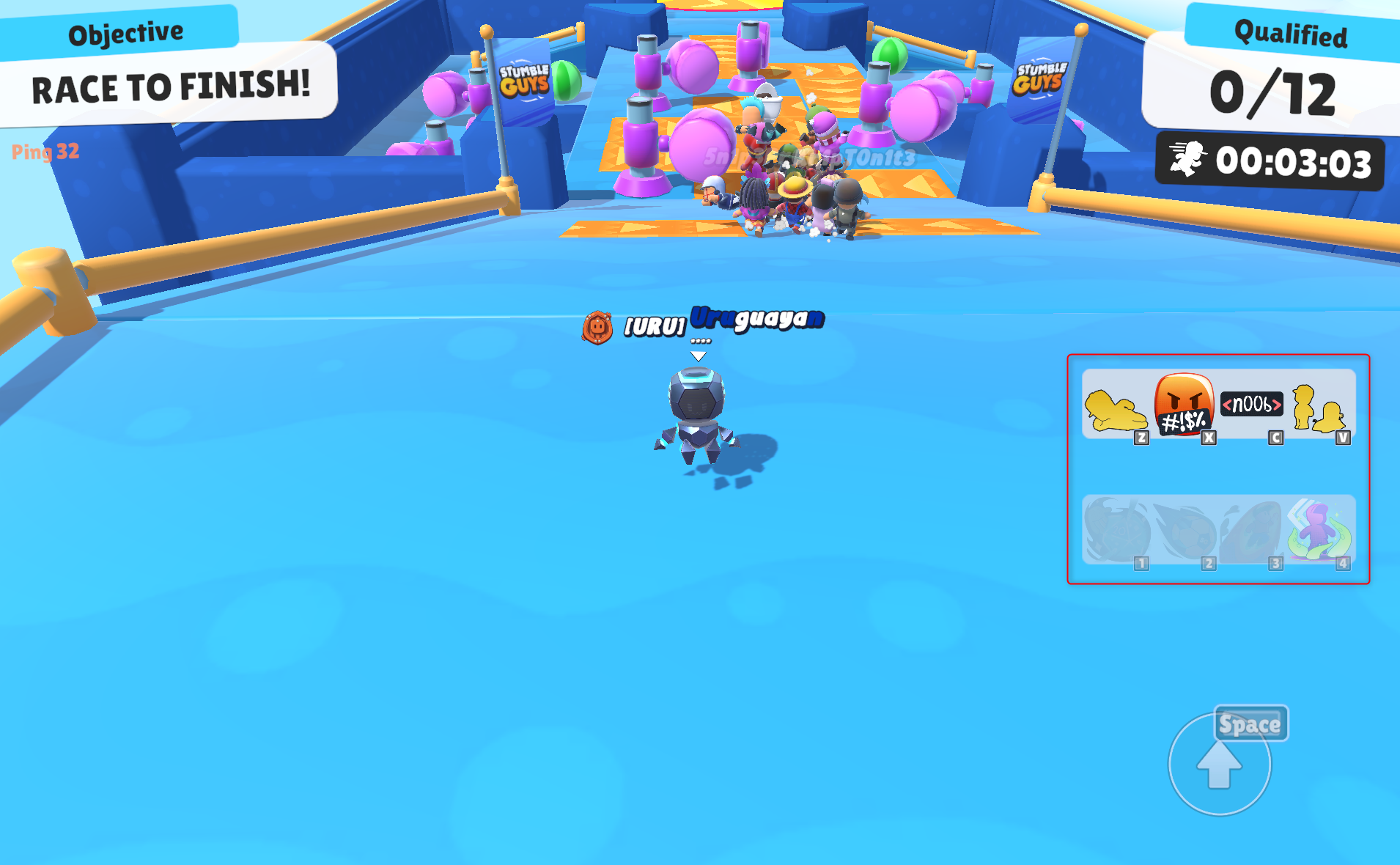
The highlighted area shows your emotes and abilities during a match.
Controls & UI Elements:
- Objective
Shows what you need to do to qualify (e.g. Race to finish). - Ping
Indicates your connection stability. - Movement
Use the virtual joystick to move your character.
On PC, this is replaced by WASD keys. - Qualified Players
Shows how many players can qualify for the next round. - Time Record
Tracks your time during the match. - Emotes
Quick-access buttons to use emotes during gameplay. - Abilities
Shows equipped abilities (if available in the mode). - Jump / Dive
Tap to jump. Tap again mid-air to dive.
Driving Match
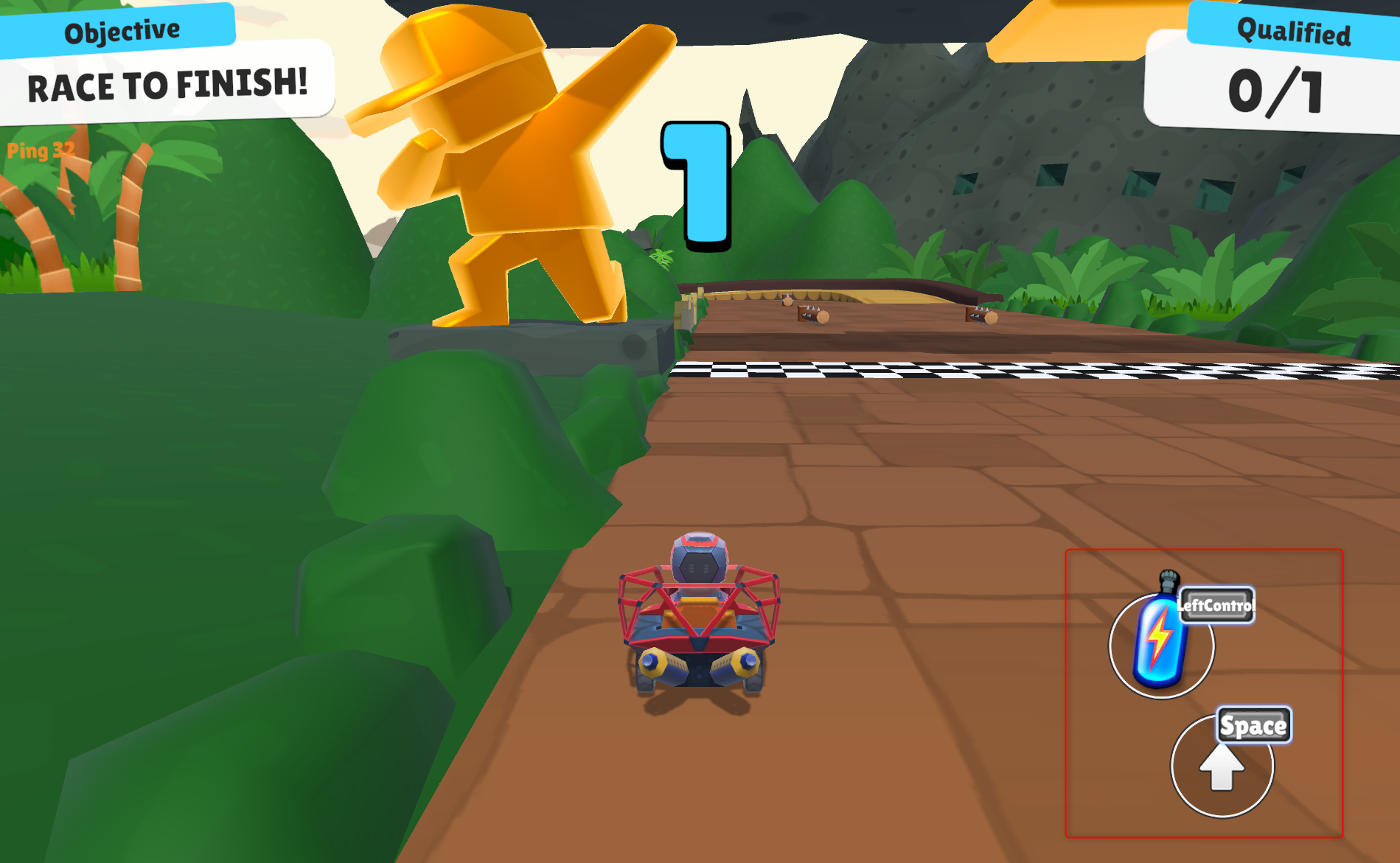
The highlighted area shows the Nitro boost and jump controls.
Controls & UI Elements:
- Objective
Shows the goal of the match. - Ping
Indicates connection quality. - Movement
Use the joystick to steer your vehicle.
On PC, this is replaced by WASD keys. - Current Placement
Shows your position in the race. - Qualified Players
Number of players that can advance. - Nitro Boost
Activate to gain a temporary speed boost. - Jump
Use to avoid obstacles or gain advantage.
First Person Shooter Match
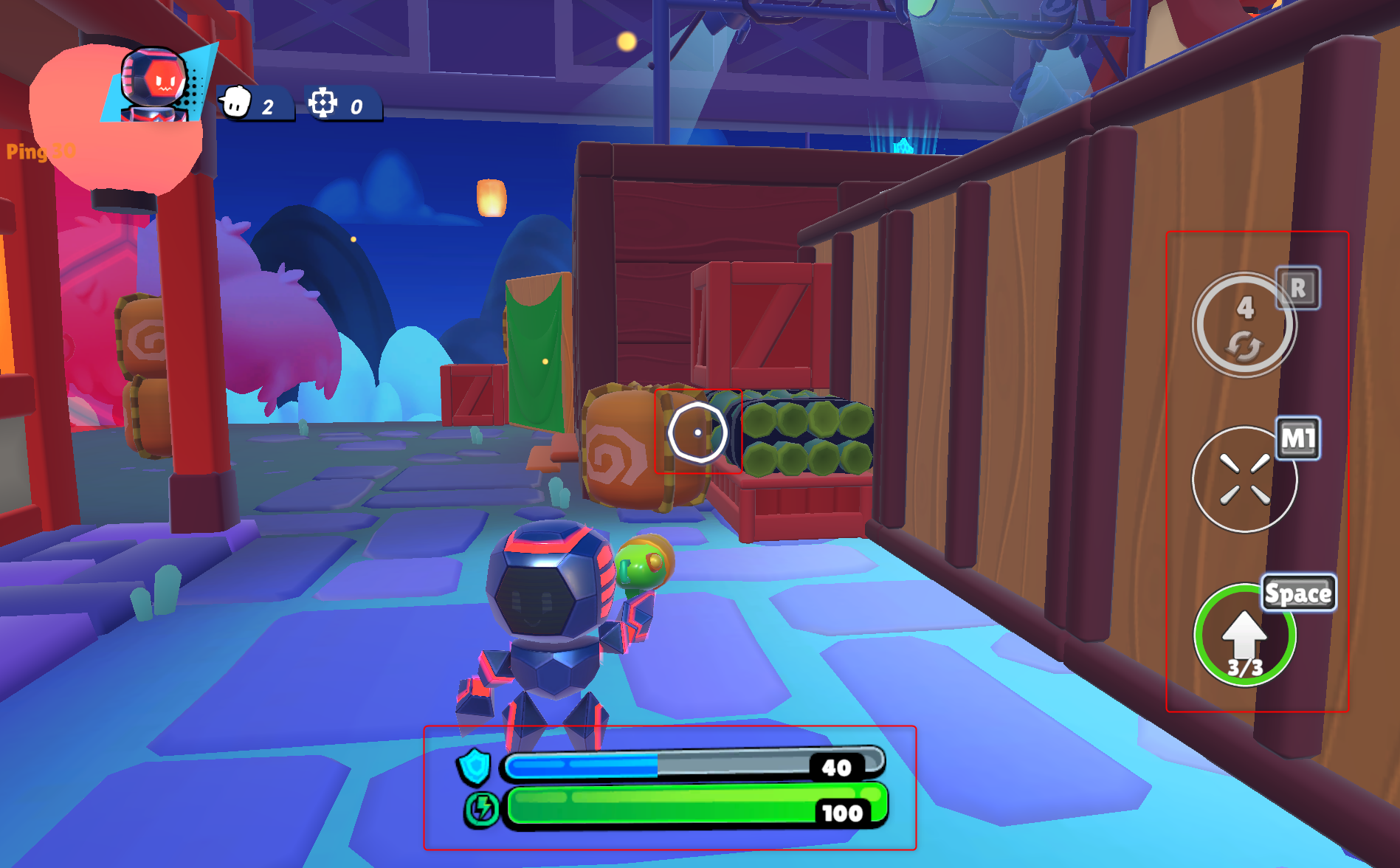
Right side: Abilities and shooting controls
Center: Targeting reticle
Bottom: Health and shield bars
Controls & UI Elements:
- Objective
Displays the goal of the match. - Ping
Shows your connection stability. - Movement
Use joystick or WASD to move. - Targeting Reticle (Center Screen)
Helps you aim at enemies. - Abilities (Right Side)
Shows available abilities and their cooldowns. - Shoot Button
Tap to fire your weapon. - Ammo
Indicates how many shots you have remaining. - Health Bar (Bottom)
Shows your remaining health. - Shield Bar (Bottom)
Absorbs damage before health is affected. - Jump
Used to move and dodge attacks.
Notes
- Controls may slightly vary depending on platform (mobile, PC, console)
- Some modes may enable or disable abilities
- Practice in different modes to get familiar with each control layout
Have a scorching day!
