
When you open Stumble Guys, you’ll land on the Home Screen. This is where you can access all the main features of the game.
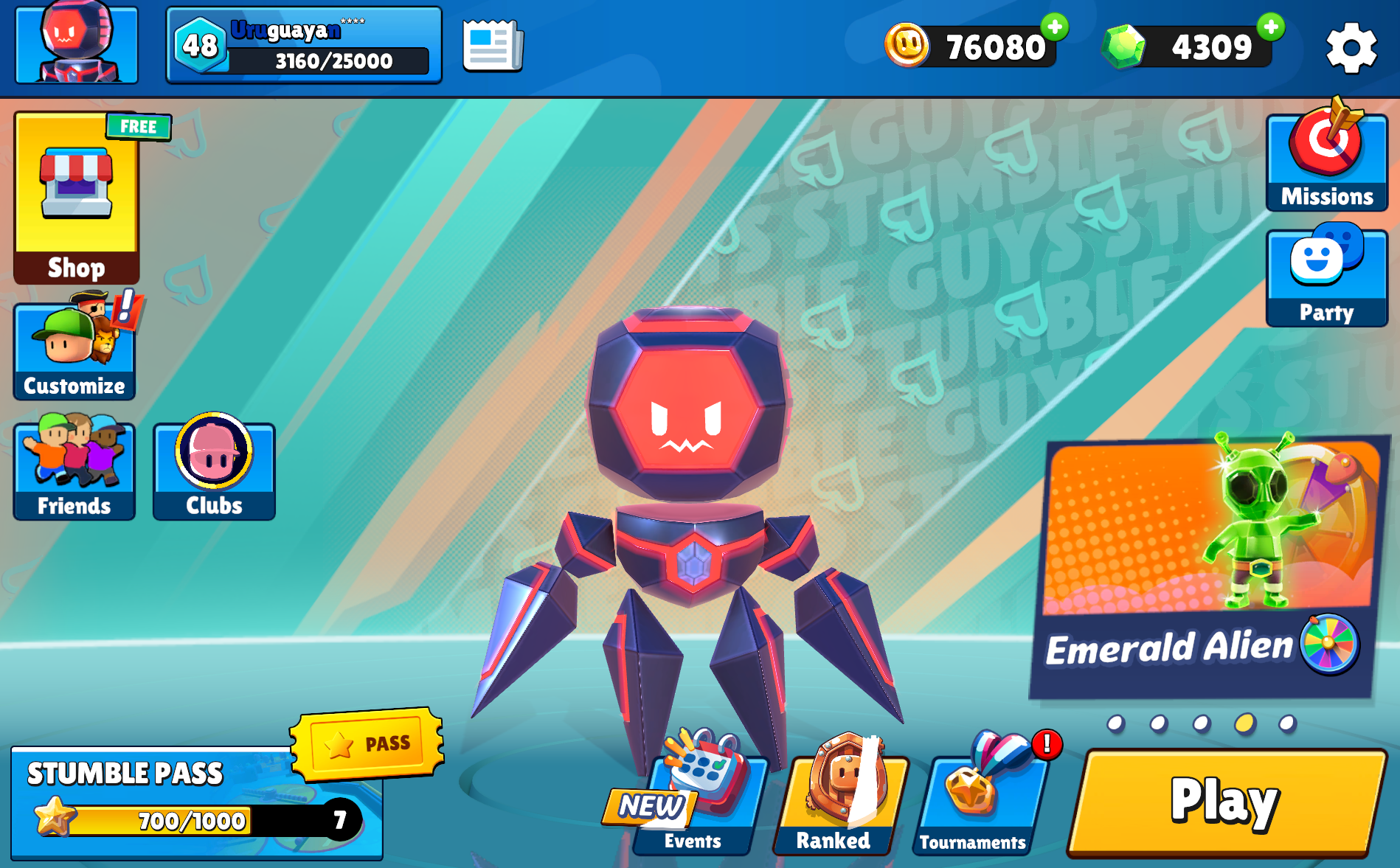
The Home Screen gives you quick access to Shop, Customize, Friends, Clubs, Missions, Party, and Play.
Main Sections
Profile
- View your player profile, level, and stats
Shop / Free Prizes
- Access the Stumble Shop
- Claim free rewards and offers
Customize
- Change your Stumbler, emotes, animations, and more
Friends
- Add, view, and play with friends
Clubs
- Join or manage a Club and see your progress
Stumble Pass
- Track your seasonal progression and unlock rewards
Events
- Play limited-time modes and earn rewards
Ranked
- Compete against other players and climb the ranks
Tournaments
- Join competitive tournaments (if available)
Missions
- Complete daily and weekly missions for rewards
Party
- Create or join a Party to play with friends
Play
- Start matchmaking and jump into a game
Top Bar (Currencies & Settings)
At the top of the screen, you’ll find:
- Stumble Coins – Your main earned currency
- Gems – Premium currency
- Settings (⚙️) – Access game settings and support
Notes
- Some features may vary depending on:
- Game version
- Platform
- Region
- The Home Screen layout may differ slightly on consoles
To infinity, and a few stumbles more.
