
You can invite up to 32 players in a Custom Party.
This allows you to play matches with a large group of friends or fill the lobby with AI players if needed.
Custom Party Settings
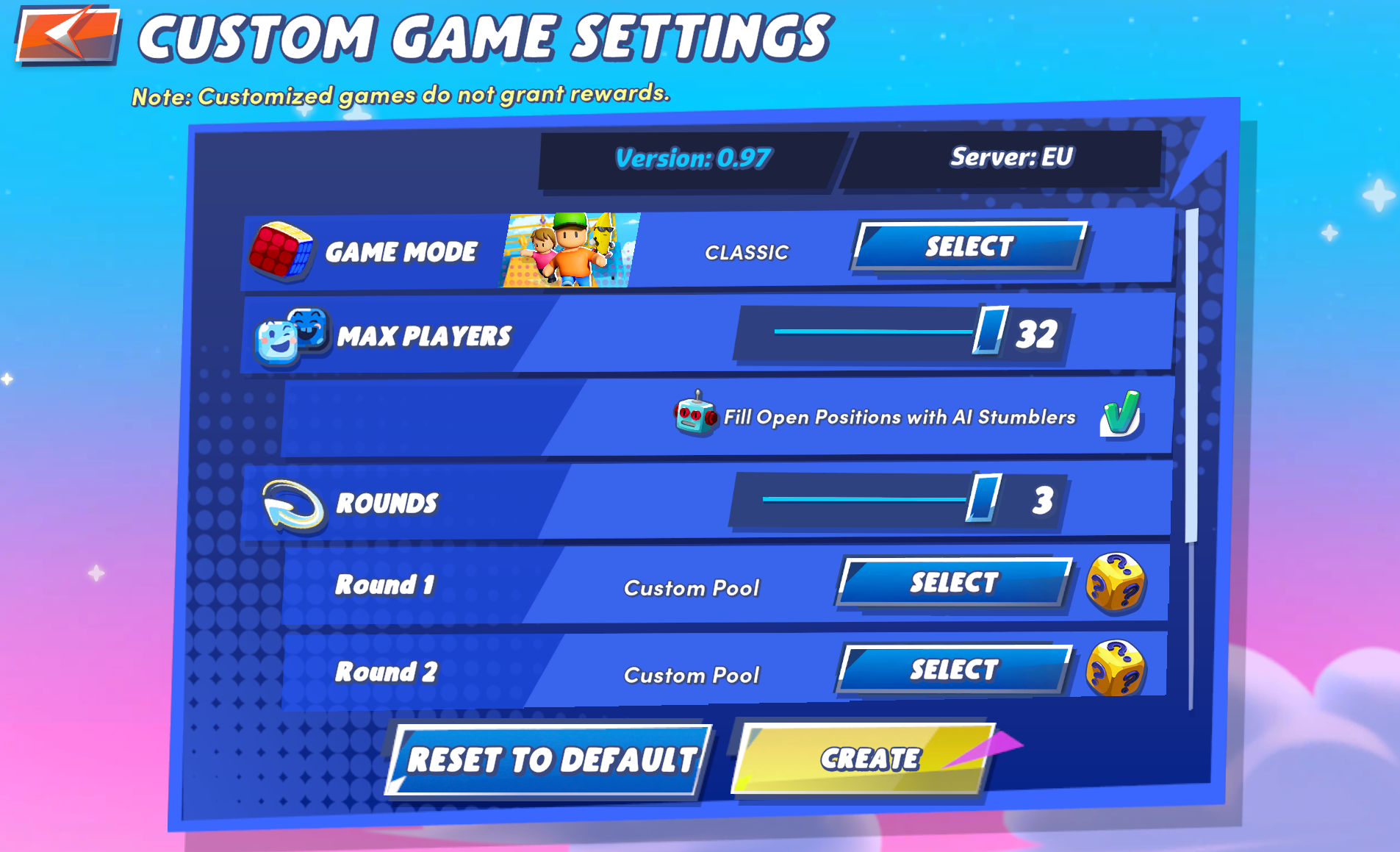
Customize your match by selecting game mode, number of players, rounds, and maps.
What can you customize?
When creating a Custom Party, you can adjust:
- Game Mode – Choose the type of match (e.g. Classic or other modes)
- Max Players – Set the number of players (up to 32)
- Fill with AI Players – Automatically fill empty slots with bots
- Rounds – Select how many rounds the match will have
- Maps / Pool – Choose specific maps or use a custom pool
Playing with AI Players
If you don’t have enough players:
- You can enable AI Stumblers
- This ensures the match starts with a full lobby
Important Notes
- Custom Games do not grant rewards
- XP, Coins, or other progression rewards are not earned in this mode
- Settings may vary depending on the game version
Tip
Custom Parties are perfect for:
- Playing with friends
- Practicing maps
- Hosting tournaments or private matches
That’s a wrap on the social tour!
